23 January 2026
What is phishing
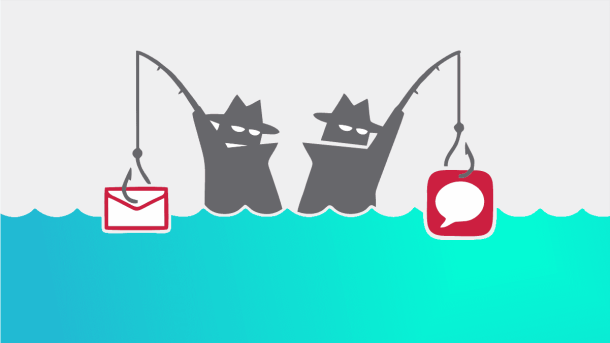
Phishing is a type of cybercrime where attackers use fake emails, SMS messages, or other means of communication to impersonate reputable organizations, banks, or familiar companies. The goal is to trick the recipient into clicking on malicious links, opening infected files, or providing confidential information.
Key signs of phishing emails
1. Unexpected and alarming content
Phishing emails often create a sense of urgency or fear: “Your account has been blocked,” “Immediate action required,” “Your package will not be delivered unless you confirm.” It is advisable to never make any immediate decisions after receiving such emails.
2. Unknown sender
Check the sender’s email address. Phishers often use fake addresses that look similar to real company addresses, but with slight differences: for example, [email protected] instead of [email protected].
3. Poorly written text
Many phishing emails contain spelling and grammar errors, poor translations, or unusual wording. Legitimate companies are usually careful about the quality of their communications.
4. Suspicious links
Before clicking on a link, hover over it (without clicking) and see where it actually leads. If the URL is different from what you expect or contains strange characters and numbers, do not click.
5. Request for personal information
Real companies never ask for passwords, bank card details, social security numbers, or other highly personal information via email. If the email contains such a request, it is phishing.
6. Generic salutation
Phishing emails often use generic salutations, such as "Dear User" or "Dear Customer," instead of your name. This is a sign that the email is being sent in bulk.
7. Unexpected attachments
Do not open attachments from unknown sources, especially if they have .exe, .zip, .scr, or other executable file extensions. They may contain viruses or malware.
How to protect yourself from phishing
Check the source
If an email claims to come from a bank, company, or service you use, do not use the contact information provided in the email. Instead, visit the company’s official website or call their official phone number.
Enable two-factor authentication
Two-factor authentication (2FA) adds an extra layer of protection to your accounts. Even if phishers get your password, they won’t be able to log in without a second confirmation.
Update your software
Keep your operating system, browsers, and security software up to date. Updates often include important security fixes.
Use antivirus software
A good antivirus software can detect and block phishing attempts, malicious links, and viruses.
Educate your team
If you own a business, make sure your employees are aware of phishing and can recognize suspicious emails. Cybersecurity is a team effort.
Remember: if something looks suspicious, it probably is. Be cautious, check sources, and never rush into decisions based on emails.
Your digital security depends on your vigilance.
previous